The history of UI development has gone from command-line control to modern intuitive interfaces and continues to evolve. LLM are penetrating deeper into our daily lives, and the user interface is no exception. Microsoft and other companies are already integrating agents into their systems, designed to take over most interactions and create a more convenient layer between the user and the system. But is it so?
Is this the future, or is it just another marketing myth? Let's try to find the answer in history and understand if this can become a reality.
The times before...
In times when computers occupied several rooms, and all programming took place through the terminal, assembly, and punch cards, there was no need to think about the user interface. The computer remained a machine for highly qualified engineers and was useful primarily for organizations that needed to perform complex calculations, rather than chasing convenience and accessibility. Therefore, for the most part, there was no need for an interface: computers remained a tool for a narrow circle of specialists willing to put up with any complexity for the sake of calculations.
Strangely enough, the more accessible computers became, the greater the need for a graphical interface appeared. The release of the Altair 8800 in 1975 clearly showed that the era of the computer as a luxury for research centers had passed, and the idea that a PC could be in every home created a need to lower the entry barrier for the average person.
Main stages of evolution
Of course, there are no distinct stages of interface development. Here I will simply try to highlight, in my opinion, the most basic ones that have made the greatest contribution to how we interact with the system today. I also want to note that this should not be perceived as a gradation, but rather as an evolution, where each new approach sought to reinvent or fix the "crutches" of its predecessor. That is, it's not like the command line interface was completely displaced by WIMP. It is about how direct interaction with the system became increasingly abstract and allowed a paradigm shift from "entering syntactic commands" to "declaring intentions".
As a guideline, I propose to consider the "ideal interface ()" as a state in which three parameters are observed:
- Accuracy (): Correspondence of the result to the initial intention within the system's capabilities.
- Effort (): Everything required from the user: learning, memorization, and number of actions.
- Latency (): Time required between the intention and its execution by the system.
And is described by the formula:
In the limit, this looks like a complete merger of human and machine — a kind of "technological telepathy" that allows controlling the system with the power of thought. Although this seems like science fiction now, it is the striving for this ideal that explains why UI evolution is moving along the path of constantly reducing unnecessary intermediaries.
If now we are in a state where interaction can be represented as:
Then the "ideal interface" will look like this:
1. Command Line Interface (CLI)
Period: 1960s – to present.
One of the very first and most primitive user interfaces can be considered the command line. The first truly mass operating system that popularized this method was MS-DOS, released in 1981, which became the first mass product and standard for many years.
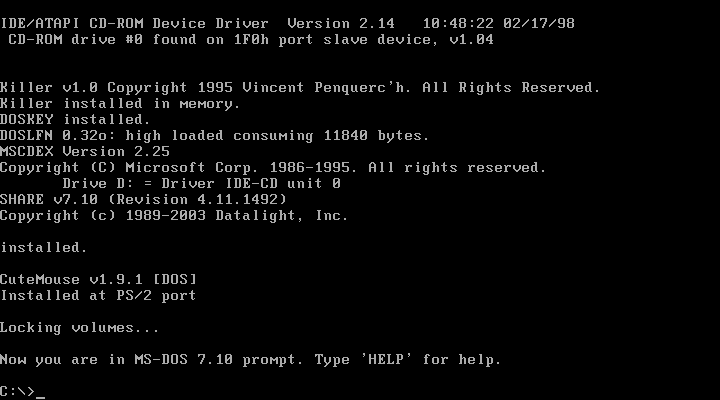 MS-DOS 7.1
The main advantage of such an interface was a low level of abstraction, allowing commands to be transmitted directly to the system. However, this also created the main disadvantage — a critically high entry barrier: for full-fledged work, the user had to know and keep in memory at least a hundred different commands.
It is worth admitting that the command line is still an extremely important tool for developers, as it allows working directly with the system, bypassing the lowest-level interactions and losing practically nothing in functionality. But from the point of view of an ordinary user, of course, it is worth admitting that this was a dead-end branch, for the entry barrier was too high to truly satisfy the mass user. And perhaps this would have even been the end of the mass distribution of PCs, but then WIMP entered the scene.
2. The Birth of GUI
Period: 1970s.
At the Xerox PARC research center, the Xerox Alto computer (1973) was created with its own OS Alto Executive (Exec) — the first with a graphical interface and the "desktop" metaphor. It was here that the concept of WIMP (Windows, Icons, Menus, Pointer) appeared. Despite its revolutionary nature, Alto was never able to conquer the market due to its huge cost (the cost of one copy was about $32,000, or about $140,000 in today's terms) and positioning as a tool for use in scientific centers.
But it served as inspiration for other operating systems — Windows and Macintosh, which took interface interaction to a new level.
3. Mass adoption of GUI
Period: 1980s – 1990s.
Apple released Lisa (1983) and Macintosh (1984), making the graphical interface available to the average user.
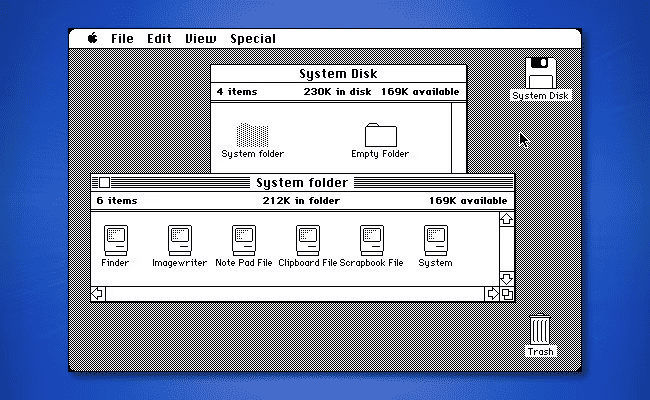 Mac OS 1.0
In 1985, Microsoft introduced Windows 1.0. The mouse established itself as the main control tool.
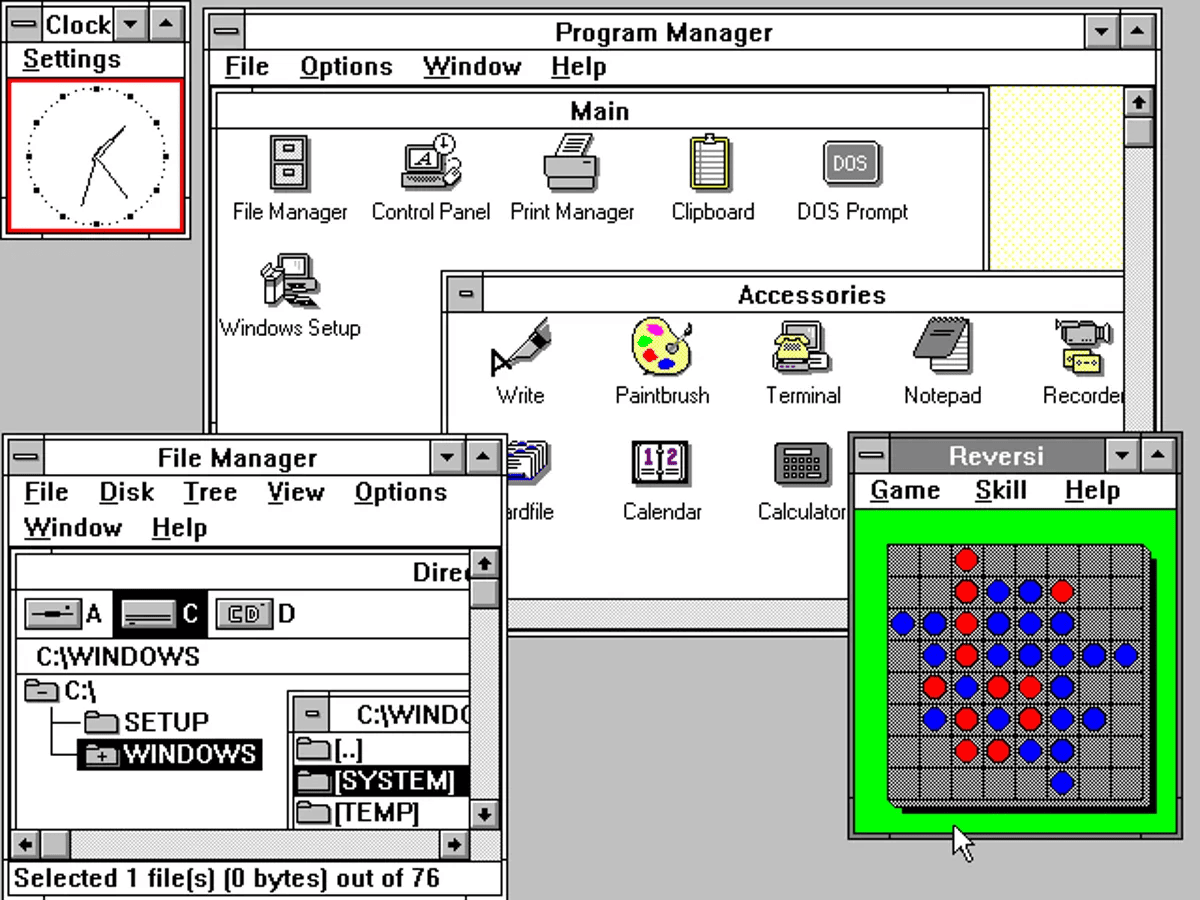 Windows 1.0
Although both went different ways (Macintosh laid the foundations of a closed ecosystem with a focus on design, and Windows developed as a universal shell over MS-DOS), the concept for everyone was the same: the user was no longer obliged to memorize command syntax, as interaction moved into the plane of intuitive manipulation of visual objects.
The success of the GUI provoked one of the loudest scandals in the history of the industry. Steve Jobs accused Bill Gates of stealing the Macintosh design to create Windows 1.0. To which Gates replied with his famous phrase:
"We both had a rich neighbor named Xerox. I broke into his house to steal the TV set, only to find that you had already stolen it."
4. Skeuomorphism and Web Interfaces
Period: early 2000s – 2010s.
From the strict minimalism of Windows 95, we moved to the bright skeuomorphism of Windows XP.
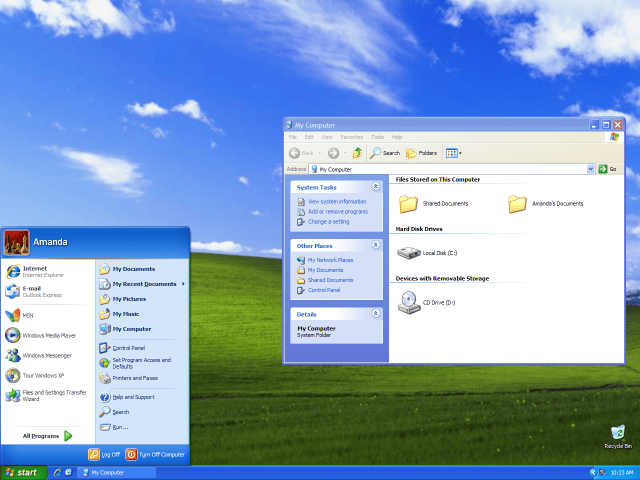 Windows XP
Interface elements began to imitate real objects to simplify the learning process as much as possible. Now buttons and icons on the screen ceased to be just static symbols — they began to resemble parts of some children's toy, which literally screamed with their appearance: "Press me!". It was during this period that the personal computer finally became truly accessible and understandable to almost anyone. The flourishing of the Internet also fell on this era: and although the Web 2.0 era was still far away, the combination of a friendly interface and network capabilities turned the computer into an ordinary thing that was now in every home.
5. Mobile revolution
Period: 2007 – 2010s.
Until the iPhone, the phone was a simple dialer with a minimum set of functions, where maximally one could send a message or play "Snake". Everything changed with the transition to touch screens and multi-touch gestures. Before the iPhone, touch screens were inconvenient (resistive), and the revolution occurred with projected capacitive Touchscreen technology: fingers began to interact directly with the interface without a stylus intermediary.
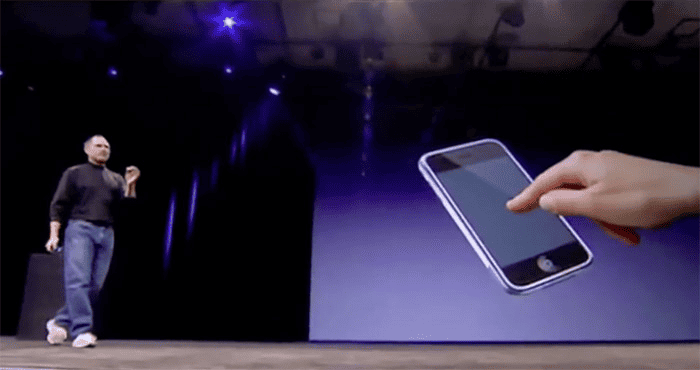 Steve Jobs demonstrates Touchscreen operation
Skeuomorphic interfaces (wooden shelves, "real" calculators) still helped people mentally settle into the digital environment, blurring the line between digital and reality. But later the industry went into the flat minimalism of (Flat Design) in favor of cleanliness and performance, sometimes sacrificing visual identity. But still, I believe that this was a necessary step that allowed removing everything unnecessary in favor of the future.
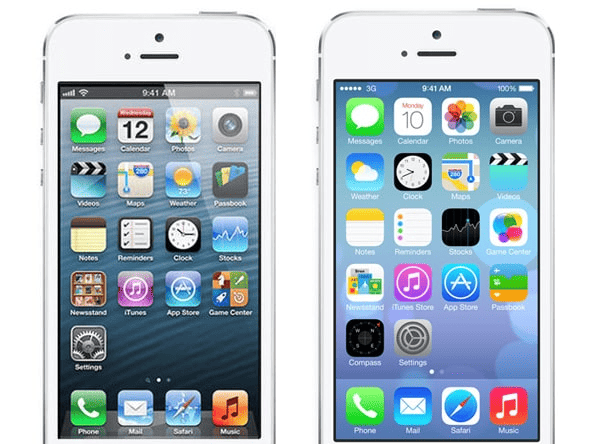 Comparison of Flat Design and the old one
Graphical and touch interfaces became a "finished language". The entry barrier decreased, but at the cost of freedom of action. For the majority, a file is no longer a separate entity, some photo is just part of the "Gallery" application living inside it, and the world of documents has been replaced by a world of closed ecosystems. I won't say that this is bad. Rather, it is sad that we have sacrificed functionality so much in favor of purely convenience.
6. Conversational and Voice Interfaces (CUI)
Period: 2010s – 2020s.
The active development of voice assistants (Alexa, Google Assistant) allowed controlling technology using natural speech. The introduction of these technologies rather did not lower the entry barrier, but simply made interaction more convenient, but still remained very limited. Ultimately, voice interfaces supplemented, but did not replace the GUI. At the same time, this method of interaction found its niche in smart homes, which allowed bringing digital interaction into the real world.
7. The Era of AI and Generative Interfaces
Period: in the foreseeable future.
Further on, there will only be reasoning about how I see the future UI, what will happen in reality only time will tell, so one should treat my further reasoning with skepticism.
We may be on the verge of a fundamental shift in how humans interact with machines. Modern interfaces are evolving towards Generative UI and intent-oriented design. Now the user does not spend time searching for the right button — they simply describe the desired result in natural language, and the agent independently forms the necessary control elements or performs the task "turnkey".
This is a fundamentally new level of multimodal interaction. If earlier we relied on intuition within rigidly defined GUIs, now we are moving to describing the desired result.
Intentional interface is a system that understands not "what to press", but "what to get". This is a transition from manipulating tools to setting tasks.
However, current solutions, such as Microsoft Copilot, are still just building on top of classic interfaces, creating an additional layer. The real revolution, in my opinion, will happen in a return to the roots: operating systems where the central element will again be the "blinking cursor", but already based on a powerful AI agent.
This approach will combine the best of all paradigms: the precision of the command line, the accessibility of voice, and the visibility of graphics. The advantage in this world will be given not to those who masterfully own complex software, but to those who know how to clearly formulate their intentions and understand the limitations of the system.
Yes, this is still far from the "ideal interface", but very close to it. I think in the near future we should expect exactly such agents. In essence, agents trained to interact with the OS directly, with an OS written specifically for them, and understanding our desires and intentions.
Afterword
I know for sure that this is far from the end. Until we reach the "ideal interface", technologies in this area will develop. Maybe my speculations on the topic of adaptive interfaces will have nothing to do with reality. After all, people's desires are fickle, and aesthetic preferences are cyclical. Today's attempts by Apple through Liquid Glass and depth effects in visionOS to return a little skeuomorphism to minimalism — this is a search for new tangibility in the digital world. Or is it just a way to delay the inevitable disappearance of the graphical shell as such? Time will tell. And we can only observe this evolution, which cannot be stopped ~